IPTV Does Not Work: What Is Solution?
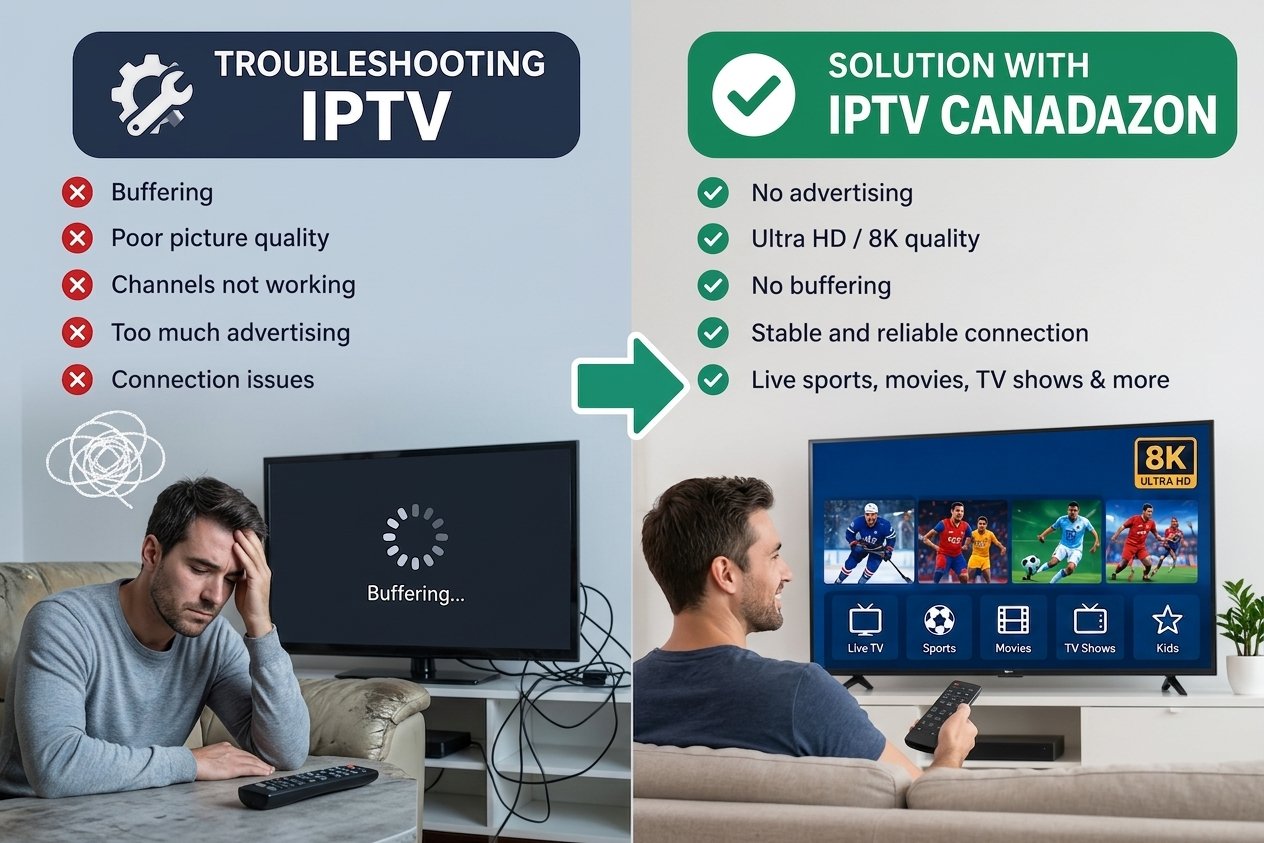
IPTV Does Not Work? Internet Connection Problems,Provider Downtime,Outdated Apps and Cache are all supposed the origin of troubleshooting...
Why IPTV Does Not Work: The Ultimate Troubleshooting Guide for Seamless Streaming (IptvCanadaZon present support for free and available 24h/7 for HELP Canadien users in WHATSAPP +44 75.75 80.85 10)
Imagine settling in for a highly anticipated match, your favorite movie, or a binge-worthy series, only to be met with a blank screen, constant buffering, or frozen images. Frustration quickly mounts when IPTV does not work as expected—ruining the viewing experience and leaving you pondering the cause. If you've experienced such issues, you're not alone. IPTV interruptions are a common concern among users seeking modern, high-quality entertainment. But the reassuring news is that most IPTV problems are solvable with some simple troubleshooting steps and a better understanding of what leads to these issues.
In this comprehensive guide, we will explore why IPTV does not work in common scenarios, how to diagnose and fix typical problems, and what to look for in a premium IPTV service that guarantees smooth, high-quality streaming. Whether you're dealing with buffering problems, poor image quality, or live channels not loading, this guide aims to empower you with practical solutions and insights to restore your entertainment momentum.
---
## Common Reasons Why IPTV Does Not Work
Before jumping into fixes, it's essential to understand the typical causes behind IPTV dysfunction. Recognizing these reasons helps in diagnosing the root of the problem and applying the appropriate solutions.
### 1. Internet Connection Problems
A stable, high-speed internet connection is the backbone of any IPTV service. Often, issues like IPTV buffering problems or channels not loading stem from insufficient bandwidth or unstable internet. Slow or fluctuating speeds can cause streams to buffer excessively or freeze, impairing your viewing experience.
### 2. Server Overload or Provider Downtime
Like any online service, IPTV relies on streaming servers. During peak times or due to technical maintenance, these servers can be overloaded or temporarily offline, resulting in IPTV service not working or channels being unavailable.
### 3. Incorrect App or Device Configuration
Misconfigured settings—such as wrong server URLs, outdated playlists, or incompatible app versions—can hinder proper operation. Incorrect configuration often manifests as black screens or channels failing to load.
### 4. Outdated Apps or Firmware
Running outdated IPTV apps or device firmware can cause compatibility issues, leading to service disruptions. Ensuring your applications and device software are current is vital for smooth operation.
### 5. ISP Throttling or Blocking
Some Internet Service Providers intentionally slow down streaming traffic or block specific ports used by IPTV services. This can significantly affect IPTV streaming quality or cause the service to not work entirely.
---
## Quick Fixes to Try First
Most common IPTV issues can be resolved quickly with some straightforward steps. Here are immediate troubleshooting tactics to try before diving into deeper diagnostics.
### 1. Restart Your Router, Device, and IPTV App
A simple restart can resolve temporary glitches. Power cycling your modem/router refreshes your internet connection, while restarting your device and IPTV app can clear minor software hiccups.
### 2. Check Your Internet Speed
Run a speed test at [Fast.com](https://fast.com) or [Speedtest.net](https://www.speedtest.net). For premium IPTV streaming quality at HD or 4K, you should aim for at least:
- **HD streams:** 10-20 Mbps - **4K streams:** 25 Mbps or higher
If your speed falls below these requirements, it may cause buffering issues or low-quality video.
### 3. Switch Between Wi-Fi and Ethernet
Wi-Fi is convenient but can be unstable, especially with signal interference or distance from the router. If possible, connect your device directly to the router via Ethernet cable to ensure a more stable and faster connection, significantly reducing buffering problems.
### 4. Clear Cache and Update Your IPTV Player
Accumulated cache and outdated app versions can cause playback issues. Clear cache in your IPTV app settings and ensure you are running the latest version. Manufacturers often release updates that fix bugs and improve stability.
### 5. Test With Another Device or IPTV App
Sometimes, the issue could be device-specific. Try streaming using a different device (smart TV, smartphone, tablet, or PC) or switch to a different IPTV app to determine if the problem is isolated.
---
## What to Look for in a Reliable IPTV Service
Choosing the right IPTV provider can make all the difference in your streaming experience. Here’s what to prioritize:
### 1. Uncompromising Video Quality: 4K and 8K Resolution
A top-tier IPTV service offers channels and content in ultra-high-definition formats like 4K and 8K, providing stunning clarity and immersion. High resolution makes sports, movies, and series more engaging, especially on large screens or premium devices.
### 2. Smooth Experience: High Stability and Zero Buffering
Buffering problems are maddening, especially during critical moments like live sports. The best IPTV services maintain high stability with dedicated bandwidth, high FPS feeds, and minimal latency, ensuring smooth viewing even during peak hours.
### 3. Extensive Compatibility & Features
A reliable IPTV setup guide emphasizes multi-device support—smart TVs, Android and iOS mobile devices, PCs, MAG and Formuler boxes. Additionally, features like a comprehensive Electronic Program Guide (EPG) facilitate easy navigation and quick access to your favorite channels and schedules.
### 4. Security & Reliability
Opt for IPTV providers that prioritize secure streaming with encrypted connections, reducing the risk of interference or data breaches. Responsive customer support is equally vital, offering quick assistance when issues arise.
### 5. Easy Setup and Flexibility
The best IPTV service offers an easy setup process—clear instructions, minimal configuration, and flexibility to cancel or switch plans without long-term commitments. Many top providers also offer free trials, allowing you to test their service firsthand before making a decision.
---
## How to Optimize Your Setup to Avoid IPTV Problems
Proper setup plays a crucial role in preventing IPTV issues:
- **Internet Speeds:** Ensure your connection exceeds the minimum required bandwidth—ideally above 25 Mbps for 4K content. - **Ethernet over Wi-Fi:** Use wired connections whenever possible to maximize stability and reduce buffering. - **Hardware Recommendations:** Invest in a modern router capable of handling high-speed streaming, and ensure your device has updated firmware and sufficient processing power. - **Peak Hours:** During heavy internet usage (evenings or weekends), bandwidth may be shared, impacting IPTV quality. Consider scheduling downloads or large data transfers outside peak times.
---
## When the Problem Is the Service, Not You
Not all issues are on your end. Sometimes, the IPTV provider experiences server outages or technical glitches. To discern the difference:
- Check the provider’s status via their social media or support channels. - Test other streaming services or channels to see if the problem persists. - Contact customer support for confirmation or updates.
Opting for a premium IPTV service known for reliability can significantly reduce these risks. Premium providers invest in robust infrastructure and customer support, minimizing downtime and enhancing your viewing experience.
---
## Try a Reliable IPTV Service Before You Commit
The best way to ensure your IPTV experience is hassle-free is to try a trusted service first. Many reputable providers offer a free trial, enabling you to evaluate channel variety, streaming quality, and reliability firsthand. During this trial period, you can assess whether the service delivers the 8K/4K resolution, live sports coverage, and smooth performance you desire.
Take advantage of these trials to see if the IPTV setup aligns with your expectations. Simply click on the **FREE TRIAL** button, and get started—no credit card required in most cases.
---
## Conclusion & Final Thoughts
Encountering issues like "IPTV does not work" can be immensely frustrating, especially when you're eager to enjoy your favorite content. However, understanding common causes—ranging from internet problems to server outages—enables you to troubleshoot effectively. Starting with simple fixes like checking your connection, clearing cache, and testing on different devices often resolves most problems.
Investing in a premium IPTV service that offers high-quality streams, extensive device support, and reliable performance ensures a smooth viewing experience, free from buffering and glitches. Remember, optimizing your setup and being proactive with troubleshooting are key to enjoying uninterrupted entertainment.
If you're ready for exceptional streaming quality and a dependable IPTV solution, don't hesitate to take advantage of a free trial. Click the **FREE TRIAL** link today to explore a world of thousands of channels, live sports, movies, and series in stunning 8K and 4K resolution—without the worries of "IPTV does not work." Your perfect entertainment experience is just a few clicks away.